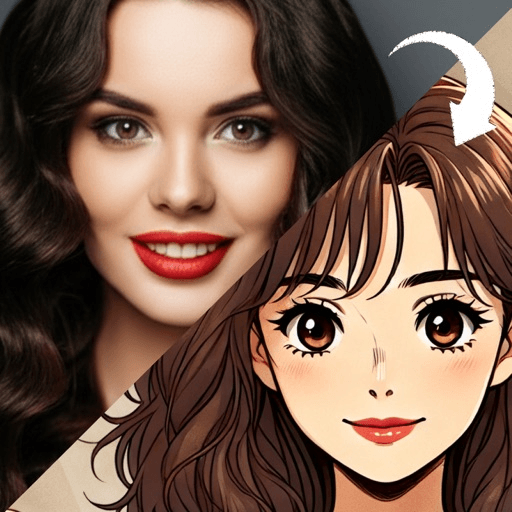
To make a cartoon character of yourself without drawing, either assemble one from parts in an avatar builder or generate one from a clear photo in a cartoon app, then use that one image everywhere. A builder gives you control over a generic face; a photo-based app gives you an interpretation of your actual face.
The “everywhere” part is where most avatars fall short. People make one picture, use it in one place, and end up with a different face on every app. An avatar works best when it behaves like a character: the same look, the same colors and the same framing wherever you appear.
What makes an avatar different from a cartoon picture?
A cartoon picture is a one-off. An avatar is a stand-in for you that gets reused for years.
The word carries that idea. Wikipedia notes that avatar is ultimately derived from the Sanskrit avatāra, which in Hinduism stands for the descent of a deity into a terrestrial form, and that the term was extended to an on-screen representation of the user in 1985. The designer who did it wanted the player’s character to be their own self manifested in a virtual world. Forty years later, that is still what most people want: the same article notes that studies have found the majority of users choose avatars that resemble their real-world selves.
It is also, in a small way, a portrait, and portraits have always been doing more than recording a face. Tate’s note on portraiture says portraits have been used to show the power, importance, virtue, beauty, wealth, taste, learning or other qualities of the sitter. An avatar does the same job on a small screen. The style you pick says something before anyone reads your name: playful, polished, retro, gamer, gentle.
Should you use an avatar builder or a photo-based app?
There are two routes, and they suit different goals: one has you assemble the picture from parts, the other generates it from a photo.
Avatar builders let you pick a face shape, eyes, nose, hair, skin tone and clothing from menus. Advantages: total control, no photo needed, and nothing is uploaded. Trade-off: every face is built from the same parts library, so avatars made in the same builder look like siblings. You are choosing features that seem close to yours, not drawing from your face.
Photo-based apps take a picture of you and redraw it in a chosen style. Advantages: the result starts from your real hair shape, face shape and expression, so it tends to feel more personal. Trade-off: you need a decent photo, the result is an interpretation that varies from run to run, and your photo is processed by the service.
A simple way to decide: if you want an avatar that could be anyone in a friendly way, use a builder. If you want one that people who know you will recognize, start from a photo.
How to make a cartoon character of yourself from a photo
Five steps, none of them involving a pencil.
- Take the photo on purpose. Use the checks in how to turn a photo into a cartoon, which matter more than the app you choose. For an avatar, add one: wear what you usually wear, because the avatar will outlive the outfit.
- Choose the expression you want to live with. This face will represent you for a long time. A relaxed, genuine smile ages better than a big grin or a serious stare.
- Pick one style and commit to it. Try two or three on the same photo, then choose. Switching styles later is how people end up with an inconsistent set.
- Generate more than once. Each generation is a different interpretation of the same photo. Make three or four, then keep the one where the eyes and the hair outline are right.
- Clean it up. Crop, set a single background color, and check it at thumbnail size before you use it anywhere.
Which style works best for a cartoon avatar?
The best avatar styles share two qualities: they read at small sizes, and they stay consistent across multiple generations.
A 3D cartoon avatar is the most versatile. It holds up on dark and light backgrounds, suits most faces, and looks right in both a professional chat app and a group thread.
A voxel art avatar builds you from cubes. It is distinctive, instantly readable, and a natural fit for gaming handles and streaming profiles.
A retro cartoon filter look, bold outline and flat color, is the most graphic and the easiest to match across a set, because flat color makes it simple to keep backgrounds and palettes consistent.
An anime style filter look keeps human proportions with large clean eyes, and suits people whose eyes are their strongest feature. Generate a few runs and keep the one whose eyes look most like yours; what photo to anime actually changes covers what else the conversion keeps and replaces.
For more options sorted by how well they read small, the cartoon profile picture ideas list covers eleven looks with the faces each suits.
How do you make a matching avatar set?
This is the step that turns a picture into an avatar. Once you have the one you like, make these versions from the same image:
- Circle crop. For most chat and social apps. Use the crop guide in cartoon profile picture ideas and save it as a template so every later version lines up.
- Square crop. For platforms that do not crop to a circle, and for email signatures.
- Wide banner. For profile headers. Place yourself to one side and extend the background color across the rest.
- A second expression, optional. If you generate one more version from a photo with a different expression, you have a reaction image that clearly belongs to the same character.
Keep the same background color on every version. That color becomes part of how people recognize you in a list, often faster than your face does.
Two more habits help. Save the original photo and note which style you used, so you can remake the avatar later with a new haircut and keep the look consistent. And if you would rather draw it by hand, how to draw yourself as a cartoon walks through a simple shape-based method.
When should you remake your avatar?
When the recognition breaks. A new haircut, new glasses or a big change in style means people who know you will no longer match the avatar to your face. Otherwise, keep it. Consistency is most of what makes an avatar work, and changing it every few weeks throws that away.
Toonsta is one of the photo-based options. Upload the photo from step one, try the 3D cartoon avatar, the voxel art avatar or the retro cartoon filter, and regenerate until one version gets your hair and expression right. Then make your crops from that single image so every profile carries the same character.